
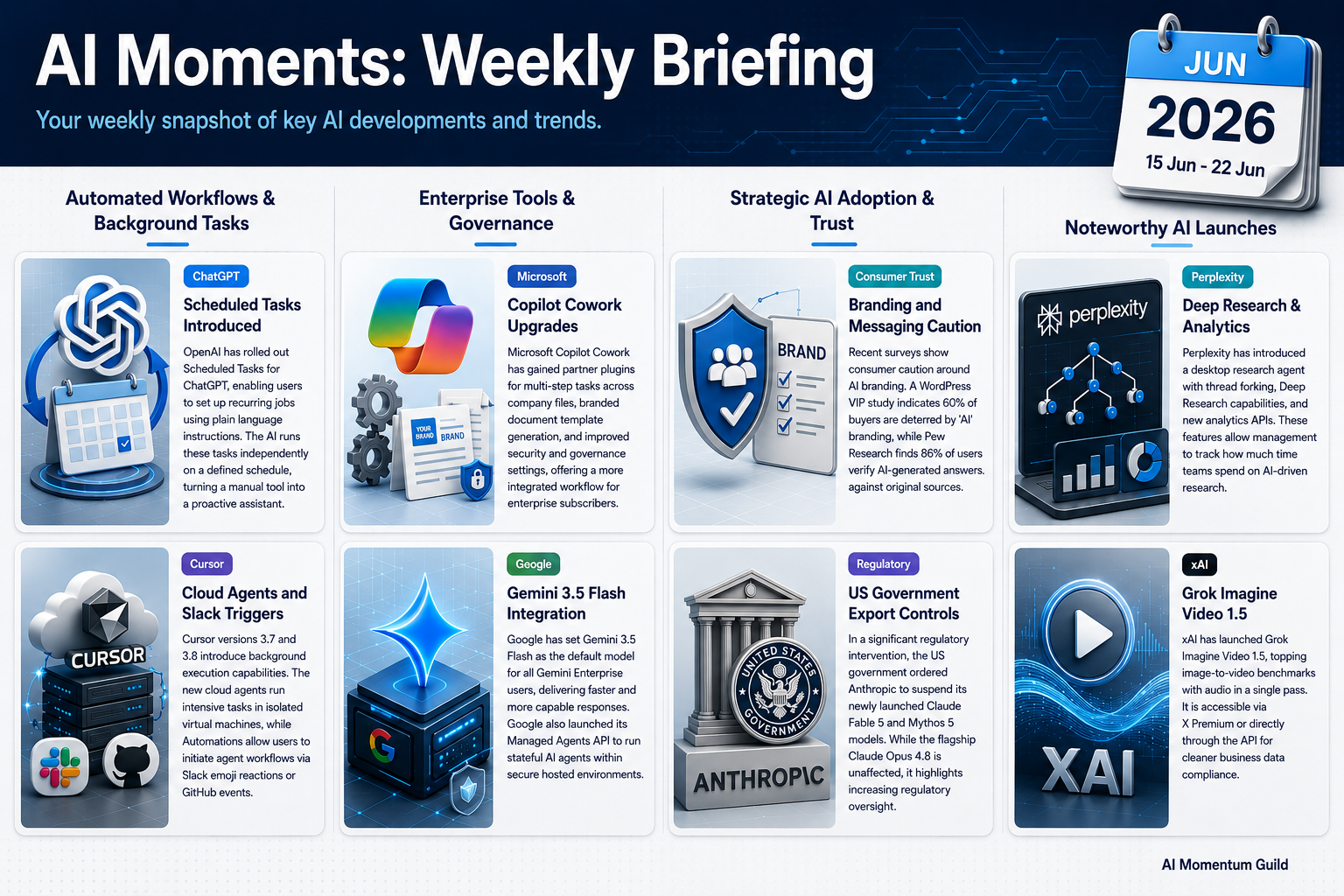
Research Period: 15 June to 22 June 2026
1. ChatGPT adds Scheduled Tasks
What changed
OpenAI has added Scheduled Tasks to ChatGPT. You describe a recurring job in plain language, for example “every Monday at 8am, summarise the top five AI headlines for my sector”, and ChatGPT runs it on its own, on the schedule you set. You manage all your tasks from one place.
Why it matters
Most of us use AI as a one-off tool. We open it, type a prompt, copy the answer, and close it. Scheduled Tasks flips that round. The weekly competitor check, the monthly report summary, the Friday inbox triage: set each up once and it happens without you remembering to ask. It’s the difference between a tool you reach for and an assistant that just gets on with it.
How to use it
- Schedule a Monday morning summary of news in your industry
- Run a monthly check on competitor pricing or product changes
- Generate a weekly draft of your team update from notes you paste in
- Set a recurring reminder to review and tidy a project tracker
- Build a fortnightly research digest on a topic you’re tracking
Source: OpenAI release notes
2. Cursor 3.7 and 3.8: cloud agents and automations
What changed
Cursor, the AI coding tool, has shipped two releases in two days. Version 3.7 adds /in-cloud, which runs an AI agent in an isolated cloud machine so a long task finishes without tying up your laptop, plus /babysit for remote work. Version 3.8 adds Automations: an /automate command, a Slack emoji reaction that triggers an agent, and five GitHub event triggers.
Note: Cursor 3.6 featured in the Wk23 newsletter. Versions 3.7 and 3.8 add fundamentally new capabilities: cloud subagents running in isolated VMs, and Automations that trigger from Slack emoji reactions or GitHub events.
Why it matters
Not everyone in the guild writes code, so treat this as a signpost. The shift here is from “AI helps me while I work” to “AI works while I do something else.” A cloud agent runs in the background; an event, a Slack reaction or a GitHub comment, kicks off work with no one at the keyboard. That pattern of event-triggered, background AI is where business workflows are heading, well beyond coding.
How to use it
- Run a slow coding task in the cloud while you carry on locally
- Trigger an agent by reacting to a Slack message with an emoji
- Kick off automated work from a GitHub comment or pull request event
- Hand off a fix as a background job rather than waiting at your desk
- Map which repetitive tasks could become event-triggered automations
Source: Cursor changelog
3. Microsoft Copilot Cowork on general release and gains plugins and templates
What changed
Microsoft announced new features for Copilot Cowork, part of the Microsoft 365 Copilot subscription. The additions include partner plugins for multi-step work across your data, security and governance controls, branded document templates, and image generation, all inside the Copilot you may already pay for. (We’re citing this as announced; specific partner names weren’t confirmed at the time of writing.)
Why it matters
If you hold a Microsoft 365 Copilot subscription, this widens what it does without a new tool to buy or learn. Branded templates are the quick win: a proposal or pitch deck that already carries your styling, ready to fill. The partner plugins let Copilot string together steps across your work data, and the governance controls matter if you manage a team account rather than a single licence.
How to use it
- Set up a branded template for proposals or briefs you write often
- Browse the partner plugin catalogue for one or two useful integrations
- Generate marketing images inside Cowork rather than a separate tool
- Use plugins to automate a multi-step task across your work files
- Review the new security settings if you manage a team Copilot account
Source: Microsoft AI blog
Strategic Awareness
Two studies this week point the same way: public trust in AI is thin, and it shapes how customers react to the word itself. A WordPress VIP survey found 60% of consumers are put off when a brand leans on ‘AI’ in its messaging. Pew Research found only 16% feel positive about AI’s impact on society, and 86% still verify AI answers against original sources.
This research suggests something worth reflecting on, rather than something to implement. How you talk about your AI use to customers matters. Quietly using AI to do better work may land better than badging everything as ‘AI-powered’. The data is US-centric, but the caution travels. Source: TechCrunch, 16–17 June 2026
Additional Noteworthy
GitHub Agent Finder and Copilot App GA: GitHub launched Agent Finder for discovering approved agent tools, made its standalone Copilot App generally available, and added Auto Mode for automatic model routing. | Source
Perplexity Computer gains Deep Research: Perplexity’s desktop research agent adds Deep Research, thread forking, and analytics APIs that show managers how research time is spent (requires Pro, ~$20/month). Perplexity also featured last week for its Office integration. | Source
Android 17 launches with Gemini: Video editing and music creation arrive globally via the Gemini app, but the headline Gemini Spark features are blocked in the EU and UK pending AI Act compliance (Q3 2026 at the earliest). UK members: check your specific device. | Source
GPT-5.6 expected this week: Prediction markets put the odds at 83% for an OpenAI release within days. It’s not out yet — worth testing against your current ChatGPT workflows once it lands. | Source
xAI Grok Imagine Video 1.5: Now generally available and topping image-to-video benchmarks with audio in a single pass. It runs through X Premium or the API; the API is the cleaner route given X Premium’s data considerations for business use. | Source
Looking Ahead
Watch for the GPT-5.6 release, likely within days, and worth a quick comparison against your existing ChatGPT setup. The broader theme this fortnight — background, event-triggered AI agents — is one to keep an eye on as it spreads beyond coding tools.
This briefing focuses on AI developments relevant to SME operations, emphasising practical applications in productivity, cost efficiency, and business capability. For questions or to suggest sources, contact the guild team.