
Research Period: 6 July to 13 July 2026
1. OpenAI launches GPT-5.6 and ChatGPT Work
What changed
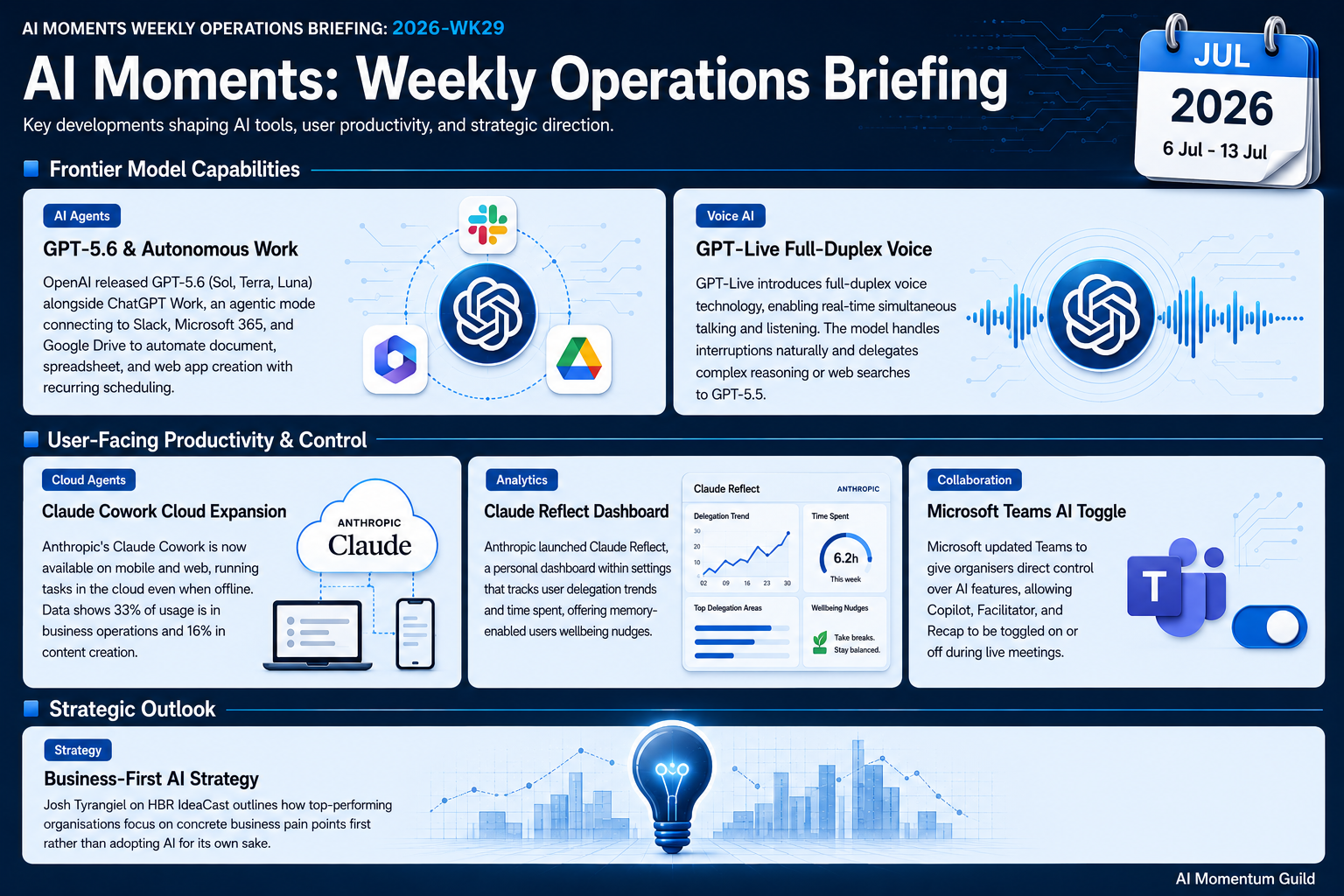
OpenAI released the GPT-5.6 model family on 9 July, with three tiers: Sol (frontier), Terra (mid-tier), and Luna (efficient). Alongside it came ChatGPT Work, an agent mode where you describe an objective in plain language and receive finished documents, spreadsheets, presentations, web apps, and reports. Work connects to Slack, Microsoft 365, and Google Drive, and includes Scheduled Tasks for recurring runs.
Why it matters
This is the point where a non-technical person can hand over a whole task, not just ask a question. Because Work pulls context from the apps you already use, the output lands closer to something you can send rather than a draft you have to rebuild. For a small team, that shifts AI from a clever assistant to something that produces the deliverable itself. The new desktop app for macOS and Windows brings Chat, Work, and Codex into one window.
How to use it
- Open ChatGPT Work and describe a task in plain English, such as drafting a proposal, preparing a report, or compiling research from your connected apps
- Connect your Slack and Google Drive or Microsoft 365 accounts so Work can pull context from your actual business data
- Set up a Scheduled Task for a recurring job, for example a Monday morning sales summary from your CRM
- Test GPT-5.6 Terra as a cost-effective step up from older models for everyday work, at $2.50/$15 per 1M tokens in and out
- Use the new desktop app to switch between Chat, Work, and Codex in a single window
Source: OpenAI
2. OpenAI launches GPT-Live full-duplex voice
What changed
On 8 July, OpenAI launched GPT-Live, a generation of voice models built on full-duplex architecture. That means the model listens and speaks at the same time rather than waiting for a pause. GPT-Live replaces Advanced Voice Mode in ChatGPT, can use natural back-channel phrases to show it is listening, handles interruptions, and delegates to GPT-5.5 in the background for searches or harder reasoning.
Why it matters
Turn-based voice always felt like walking through mud: you talk, you wait, it replies. Removing that gap makes a spoken conversation feel closer to talking with a colleague, which matters when you want to think out loud rather than type. The delegation to GPT-5.5 means a casual voice chat can quietly reach for a web search or deeper reasoning without breaking the flow. GPT-Live-1 is available on the paid Go, Plus, and Pro plans, with a mini version for all users, live on iOS, Android, and ChatGPT.com globally.
How to use it
- Enable GPT-Live in ChatGPT on your phone and hold a hands-free conversation while commuting or doing admin
- Use voice for idea exploration, brainstorming, or talking through a decision without typing
- Move to GPT-Live-1 on a paid plan for conversations that draw on GPT-5.5 for searches and deeper reasoning
- Dictate a brief, a client proposal outline, or a decision you are wrestling with, then refine it through back-and-forth
- Start explaining a problem and let the model ask clarifying questions naturally, mid-sentence
Source: OpenAI
3. Claude Cowork expands to mobile and web
What changed
On 7 July, Anthropic expanded Claude Cowork from desktop-only to mobile and web, with background tasks that keep running even when a device is offline or closed. Sessions and files now follow you across devices because the system routes work to the cloud. Usage data from 1.2 million sessions shows over 90% of Cowork use is non-coding: business operations at 33% and content creation at 16%.
Why it matters
The interesting shift here is that the work no longer stops when you shut the laptop. You can set a multi-step job, walk away, and pick up the finished output later on your phone, with Claude checking in when it needs a judgment call from you. That usage breakdown is worth noting too: this is being used mostly for ordinary business tasks, not developer work. One honest caveat: Cowork currently requires a Claude Max subscription, which is £100 per month in the UK. Anthropic has said expansion to the Pro tier is expected within the coming weeks.
How to use it
- If you have Claude Max, set a complex multi-step task before closing your laptop, check progress on your phone, and collect the output later
- Try the client-prep pattern: the night before, set Claude to review email threads and draft a meeting brief, then pick it up with your morning coffee
- If you are on Claude Pro, watch for Anthropic’s announcement about the tier expansion coming within weeks
- Set a task that needs a judgment call and see how the mobile check-in notification works in practice
- Review the usage split, 33% business operations and 16% content creation, and identify which category fits your most time-consuming work
Source: Anthropic
Additional Noteworthy
Anthropic launches Claude Reflect: A personal dashboard in Claude Settings showing how you have spent time with Claude over 1, 3, 6, or 12 months, plus wellbeing nudges, available to all Claude users with memory enabled. Turn it on in Claude Settings to see which tasks you are already delegating to Claude and where the gaps are. | Anthropic
Microsoft gives users control over Teams AI features: After sustained user backlash, meeting organisers can now toggle Copilot, Facilitator, and Recap on or off during live meetings. Note that this requires a Teams Premium or Microsoft 365 Copilot licence, not standard Teams plans, and is rolling out through July 2026. | Forbes
Looking Ahead
The HBR IdeaCast episode from 7 July with Josh Tyrangiel argues that the organisations getting the best results from AI are the ones that identified a concrete business problem first, rather than chasing AI for its own sake. Worth a listen if you want a clear frame for where to focus next: HBR IdeaCast.